AI Product Placement: Lifestyle Photography Without a Studio
Place products in AI-generated scenes with perfect lighting and shadows.
ecomVance
Advanced AI for E-Commerce

What is AI Product Placement?
AI product placement is a technology that uses artificial intelligence to digitally place product images into photorealistic lifestyle scenes. It eliminates the need for expensive studio photography by generating professional marketing images with perfect lighting, shadows, and perspective in seconds.
- Generate professional lifestyle photography without a studio
- Place products in any environment you can describe
- Maintain 100% product fidelity—colors, logos, textures preserved
- Support for up to 14 products in a single scene
Professional lifestyle photography typically requires expensive studios, props, and photographers. ecomStage's Product Placement tool changes everything—place your products in any environment you can imagine, all powered by AI.
Key Takeaways
- 1Transform product photos into lifestyle imagery without studio photography
- 2AI generates photorealistic scenes with perfect lighting and shadows
- 3Support for up to 14 products per scene for collections and displays
- 410 aspect ratio options for any platform from Instagram to website banners
- 5Cost-effective: 50-100 credits vs $2,000-10,000 for traditional photoshoots
The Problem with Traditional Product Photography
Lifestyle photography is essential for e-commerce success. Products shown in context—a coffee maker in a beautiful kitchen, a watch on a marble surface—create aspiration and drive sales. But traditional lifestyle photography is expensive and time-consuming.
A single professional photoshoot can cost thousands of dollars, require days of planning, and still limit you to specific scenes. What if you could place your product in any scene imaginable with AI product placement?

What is AI Product Placement?
AI product placement is the flagship tool of ecomStage. Transform your product images into stunning lifestyle photography by placing them in AI-generated scenes with perfect lighting, shadows, and perspective.
100% Product Fidelity Guaranteed
Your product's design, colors, and details are preserved exactly as uploaded. Only the environment changes—every stitch, logo, and texture remains perfectly intact. This is critical for maintaining brand consistency across your e-commerce channels.
The Magic of AI-Generated Scenes
Imagine being able to photograph your product in any location—a modern kitchen, a cozy café, a luxury boutique, an outdoor terrace—without ever leaving your desk. Upload your product image, describe the scene you envision, and AI product placement creates a photorealistic placement that looks like it was shot by a professional photographer.
How to Use AI Product Placement
Follow these steps to create professional lifestyle product photography using ecomStage's AI Product Placement tool.
Upload Your Product Images
Add up to 14 product images for multi-product compositions. Clean backgrounds (white or transparent) work best for optimal results.
Write Your Scene Description
Describe the environment, lighting, and mood you want. Be specific: 'Modern minimalist kitchen, white marble countertop, soft natural morning light through window.'
Configure Output Settings
Select your resolution (1K/2K/4K), aspect ratio (10 options available), and output format (JPG or PNG).
Generate Your Lifestyle Image
Click generate and AI creates your lifestyle photograph in 30-90 seconds with perfect lighting, shadows, and perspective.
AI Processing Behind the Scenes
When you click generate, AI product placement performs sophisticated processing:
| Processing Stage | What AI Does |
|---|---|
| Image Analysis | AI analyzes your product's shape, color, material, and reflective properties |
| Scene Generation | Creates photorealistic environment based on your text description |
| Intelligent Placement | Positions product with natural perspective and scale |
| Lighting Integration | Adds realistic shadows, reflections, and ambient lighting |
| Final Rendering | Outputs high-quality image at your selected resolution |
Scene Description Mastery for AI Product Placement
The scene description is the most important input for AI product placement. Here's how to write effective prompts:
The Scene Description Formula
[Environment] + [Lighting] + [Style/Mood] + [Additional Details]
Example AI Product Placement Prompts
| Product Type | Effective Scene Description |
|---|---|
| Coffee Mug | Cozy café scene with warm morning light, rustic wooden table, steam rising, blurred background with other patrons |
| Electronics | Modern minimalist desk setup, clean white surface, soft diffused lighting, subtle tech accessories |
| Fashion Items | Luxury boutique interior, marble floor, elegant display shelving, warm golden lighting |
| Home Decor | Scandinavian living room, natural daylight through sheer curtains, light wood floors, neutral palette |
Keywords That Work for AI Product Placement
| Category | Effective Keywords |
|---|---|
| Lighting | natural light, golden hour, soft diffused, dramatic shadows, backlit, studio lighting |
| Style | minimalist, rustic, luxury, industrial, bohemian, modern, classic, Scandinavian |
| Mood | cozy, professional, elegant, energetic, calm, sophisticated, inviting |
| Environment | studio, kitchen, living room, office, café, outdoor terrace, retail store |
Avoid Vague Scene Descriptions
Descriptions like "Put product on table" or "Nice background" won't produce great results. Be specific: "Marble countertop in bright modern kitchen with stainless steel appliances and natural window light from the left."
Key Features of AI Product Placement
Multi-Product Compositions
Include up to 14 products in a single scene. All products appear together in ONE output image with the same scene context—perfect for product collections, table settings, or grouped displays on Shopify and other platforms.
10 Aspect Ratio Options
From 21:9 ultra-wide for website banners to 9:16 for Instagram Stories, choose the perfect format for any marketing platform.
AI Product Placement Pricing
| Resolution | Cost per Image | Best Use Case |
|---|---|---|
| 1K (~1024px) | 50 credits | Social media, thumbnails |
| 2K (~2048px) | 50 credits | Website, e-commerce listings |
| 4K (~4096px) | 100 credits | Print, large displays, hero images |
Same Price Tip for Best Value
1K and 2K cost the same (50 credits). Always choose 2K for better quality at no extra cost! This applies to all ecomStage tools.
Use Cases for AI Product Placement
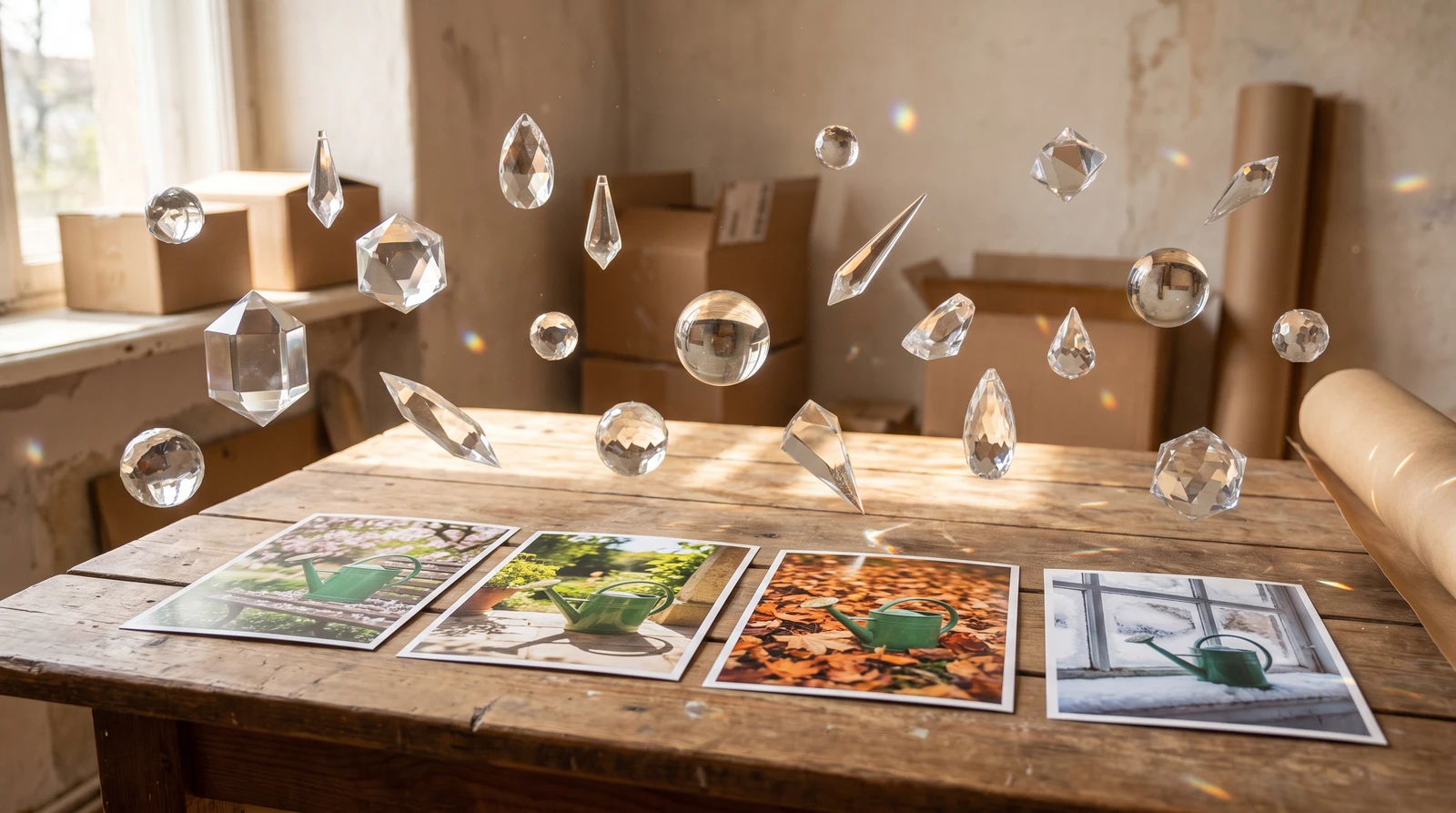
Seasonal Marketing Campaigns
Quickly create seasonal imagery without expensive reshoots:
- Spring: Fresh flowers, bright natural light, pastel accents, garden settings
- Summer: Outdoor scenes, bright sunshine, vibrant colors, beach/pool environments
- Fall: Warm tones, cozy interiors, golden light, autumn leaves
- Winter: Snow elements, holiday decor, warm indoor lighting, festive settings
Platform-Specific Content Creation
| Platform | Recommended Aspect Ratio | Best Scene Types |
|---|---|---|
| Instagram Feed | 1:1 or 4:5 | Lifestyle, minimal, aesthetic |
| Instagram Stories | 9:16 | Dynamic, engaging, personal |
| 16:9 or 1:1 | Professional, relatable | |
| 2:3 | Aspirational, detailed | |
| Website Hero | 16:9 or 21:9 | Dramatic, brand-focused |
Getting Started with AI Product Placement
AI product placement is the cornerstone of ecomStage. Start with clean product images—use AI Background Removal if needed—then describe your dream scene and watch AI bring it to life.
Pro Tip: Build a Prompt Library
Save your successful scene descriptions! Reuse them for catalog consistency across your entire product line. This is especially valuable for enterprise e-commerce operations with large catalogs.
Related Tools You Might Like
AI Background Removal
Remove backgrounds from product photos before placing them in new scenes.
AI Product Backgrounds Library
Access 250+ professional AI-generated backgrounds for your products.
AI Style Cloning
Apply consistent photography styles across your entire product catalog.
AI Product Reels
Transform your lifestyle photos into dynamic video content.
Frequently Asked Questions
What is AI product placement in photography?
AI product placement uses artificial intelligence to digitally place your product into photorealistic lifestyle scenes. Instead of expensive studio photoshoots, you upload your product image, describe the scene you want, and AI generates professional lifestyle photography in seconds.
How many products can I include in one AI-generated scene?
ecomStage's Product Placement supports up to 14 products in a single scene, making it perfect for product collections, table settings, or grouped displays. All products appear together in ONE output image with consistent lighting and perspective.
Does AI product placement preserve my product's original design?
Yes, 100% product fidelity is guaranteed. Your product's design, colors, logos, textures, and details are preserved exactly as uploaded. Only the environment changes—every stitch, logo, and texture remains perfectly intact.
How long does AI product placement take?
AI generates your lifestyle image in 30-90 seconds depending on complexity. This includes image analysis, scene generation, intelligent placement, lighting integration, and final rendering at your selected resolution.
What's the difference between AI product placement and background removal?
Background removal isolates your product by removing its background. AI product placement goes further—it creates entirely new photorealistic environments around your product with proper lighting, shadows, and perspective.
Related Articles

Introducing ecomStage: AI-Powered Product Photography Studio
Transform ordinary product images into stunning visuals with AI-powered scene placements, custom backgrounds, and style transfers. Studio-quality results without physical studio.

AI Background Removal: Clean Product Images in 5 Seconds
Remove backgrounds from product images instantly with AI. Get transparent PNG files ready for any platform. Just 20 credits per image with professional results.

AI Object Removal: Erase Unwanted Items from Photos
Intelligently remove unwanted objects while AI reconstructs the background seamlessly. 12-rule AI system ensures photorealistic results every time.